27.0.3 · Available on iOS and Android · See what’s new

FC27 PRO CLUBS TRACKER
Your FC27 club.
Beyond the scoreline.
Turn your match nights into session recaps. Compare your squad, track your form and see the creators and ball winners behind every goal with optional Pro Stats.
For FC27 clubs on PS5, Xbox Series X|S and PC.
Free to download · One club slot included. See optional upgrades
iOS / iPadOS 26.1+ · Android 13+
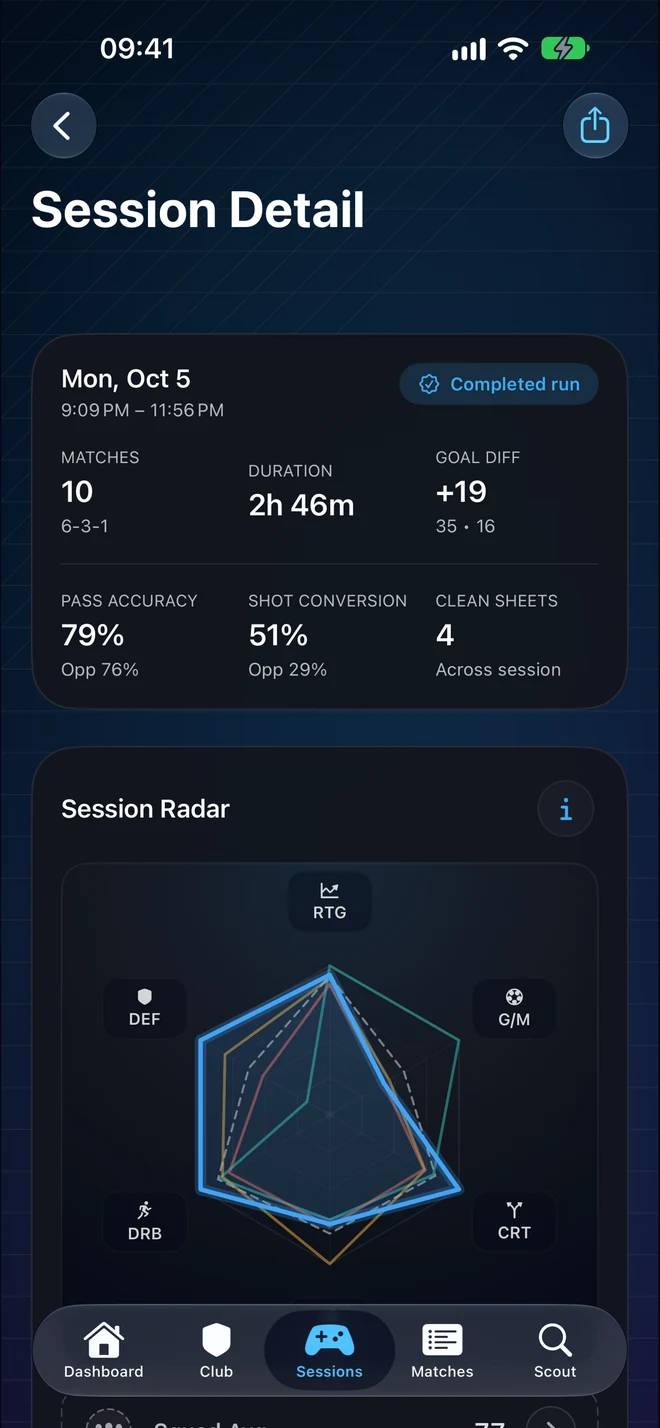
A whole match night. One clear recap.
THE CONTRIBUTIONS THAT COUNT
Give your playmakers
their moment.
Goals tell part of the story. Optional Pro Stats shows the pass before the assist, the interception that wins possession and the take-on that opens space.
- Second Assists
- See who starts the move.
- Interceptions
- Recognize your ball winners.
One-time upgrade. Match and session metrics depend on available data.
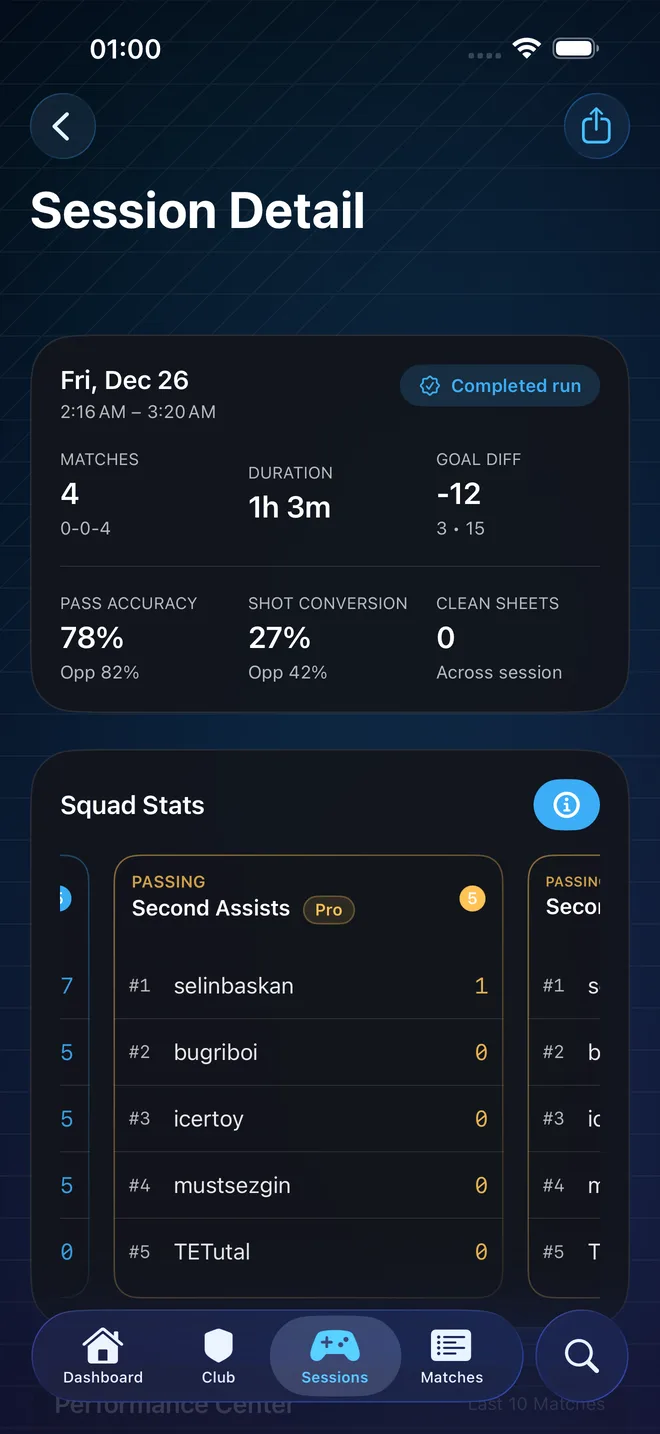
Know your club beyond the scoreline
Pro Stats
Second Assists, Interceptions, and more — an optional one‑time upgrade in Settings. Explore Pro Stats →
Widgets + Live Activity
Check your club from Home Screen widgets on iOS and Android. On iPhone, follow your session from the Lock Screen and, on supported models, the Dynamic Island with Live Activity.
Automatic Session Recaps
Matches played close together become a session. Review your record, goals and squad form, then share a recap with your teammates.
Player Cards & Profiles
See your player profile, compare squad performance and share player cards with your teammates.
Tactics & Archetypes
Visualize team formations with Archetype icons and player positions for detailed tactical analysis.
Match Intelligence
Review match stats and formations, plus detected substitutions, red cards and disconnects when the match data supports them.
Scout Mode + Forecast
Look up supported FC27 clubs, compare opponent form and revisit recurring rivals. Match forecasts estimate outcomes from available club stats.
Loved by Clubs
“Each regular clubs team should use it. Great UI with easily readable stats..”
“We started using it with mates. It’s well-structured and easy-to-use”
“The best ProClubs app on the web for your team and stats 🔥🔥🔥”
“Very clean structure and lots of beneficial statistics for Pro Clubs.”
Before your next Clubs session
Which game platforms and phones are supported?
FC Clubs tracks FC27 Pro Clubs on PlayStation 5, Xbox Series X|S and PC. The companion app runs on iPhone and iPad with iOS / iPadOS 26.1 or later, and on Android 13 or later.
How do I start tracking my club?
Search for your FC27 club by name, choose the right result and select your player from the squad. After playing, open and refresh the app to save available matches and review your sessions. No FC Clubs account is required.
What is included free, and what can I buy?
Start with one club slot, saved match history, automatic session recaps, standard squad and player stats, opponent scouting and share cards. Optional one-time purchases unlock extra club slots, up to three in total, and Pro Stats for one slot or all three. Pro Stats and extra club slots are separate purchases.
What does Pro Stats add?
Pro Stats adds Second Assists, Interceptions, Through Passes, Dribbles Completed and Beats (take-ons) in match and session views. These advanced metrics depend on the available match data and are not lifetime totals. It is a one-time purchase, with no subscription.
Can I still see my FC26 history?
Saved FC26 clubs, matches and sessions remain separate from your FC27 season when they are on your device or in a recoverable backup. Open FC26 History in Settings to browse them. FC26 live updates are paused; existing Pro Stats purchases carry over. Read the FC26 service update.
How often should I refresh, and how much history is available?
EA provides a limited window of recent matches. Open and refresh FC Clubs regularly to save the matches that are available. Background refresh is best effort. Matches that were never saved and are no longer available from EA cannot be recovered by the app.
How do I keep my saved history when changing phones?
Use the app's optional iCloud sync on iOS or Google Drive backup and restore on Android before changing devices. These features require your Apple or Google account. Restore depends on the data available in your sync or backup; iOS and Android histories do not transfer between platforms.